Account & data

Delete your Saaransh account

You can delete your account from the Saaransh app in a few taps. If you no longer have the app, you can ask us to delete it by email. You don't need to install the app again.

  1. 1Open Settings
  2. 2Tap Delete account
  3. 3Confirm
  4. 4Done
Step 1

Open Settings

Open the Saaransh app and sign in with your registered mobile number if you are asked to.

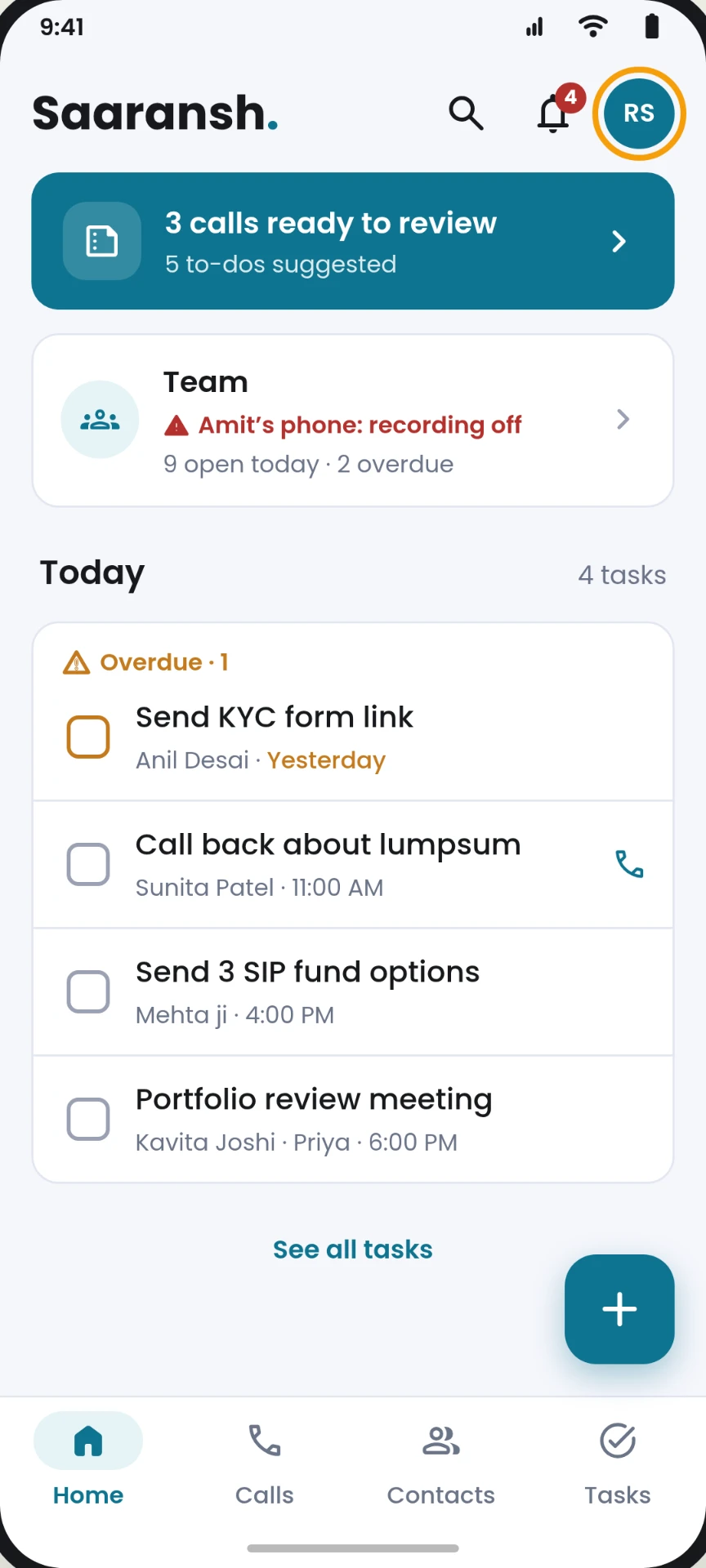
  1. On the Home screen, look at the top-right corner.
  2. Tap the round profile icon with your initials, next to the bell.
  3. The Settings screen opens.
Saaransh Home screen with the round profile icon in the top-right corner
Home: profile icon, top right
Step 2

Tap Delete account

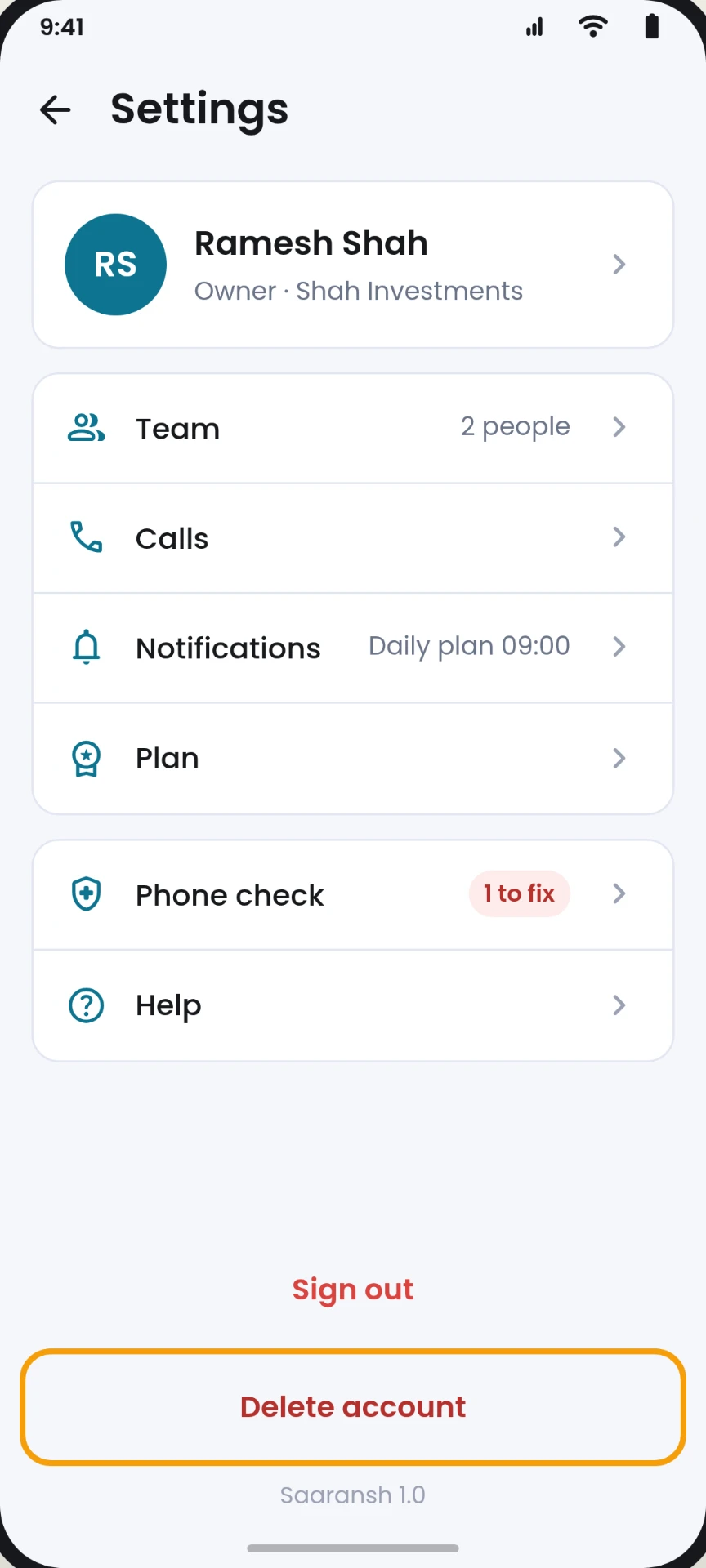
On the Settings screen you will see your name, your company and your settings.

  1. Scroll to the bottom of the screen.
  2. Below the Sign out button, tap Delete account (in red).
Saaransh Settings screen with the Delete account button below Sign out
Settings: Delete account, below Sign out
Step 3

Confirm

Saaransh shows what will happen before anything is deleted. What you see depends on your role:

Team member

You see "Delete your account?" Tap Delete account. Your contacts and tasks move to your company's owner. Calls you already summarised stay with your company.

Owner, with no team

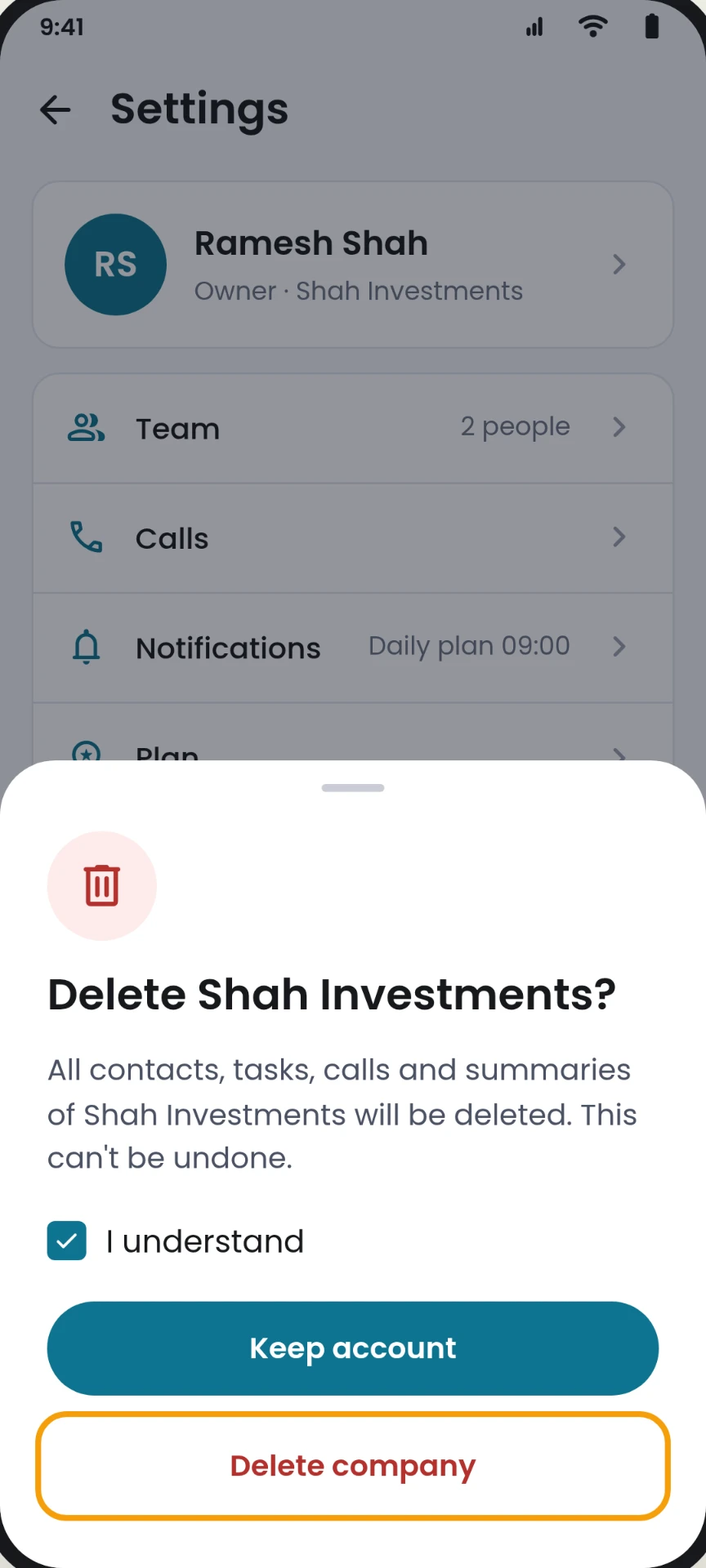
You see "Delete your company?" Tick I understand, then tap Delete company. All contacts, tasks, calls and summaries of your company are deleted.

Owner, with a team

Choose one:
Transfer ownership: pick a team member as the new owner. Only your account is deleted, and the company stays with them.
Delete company: the company, all its data and your team's accounts are deleted.

This can't be undone. To stop, tap Keep account or Not now.

Deletion confirmation asking you to tick I understand before tapping Delete company
Confirm deletion
Step 4

Done

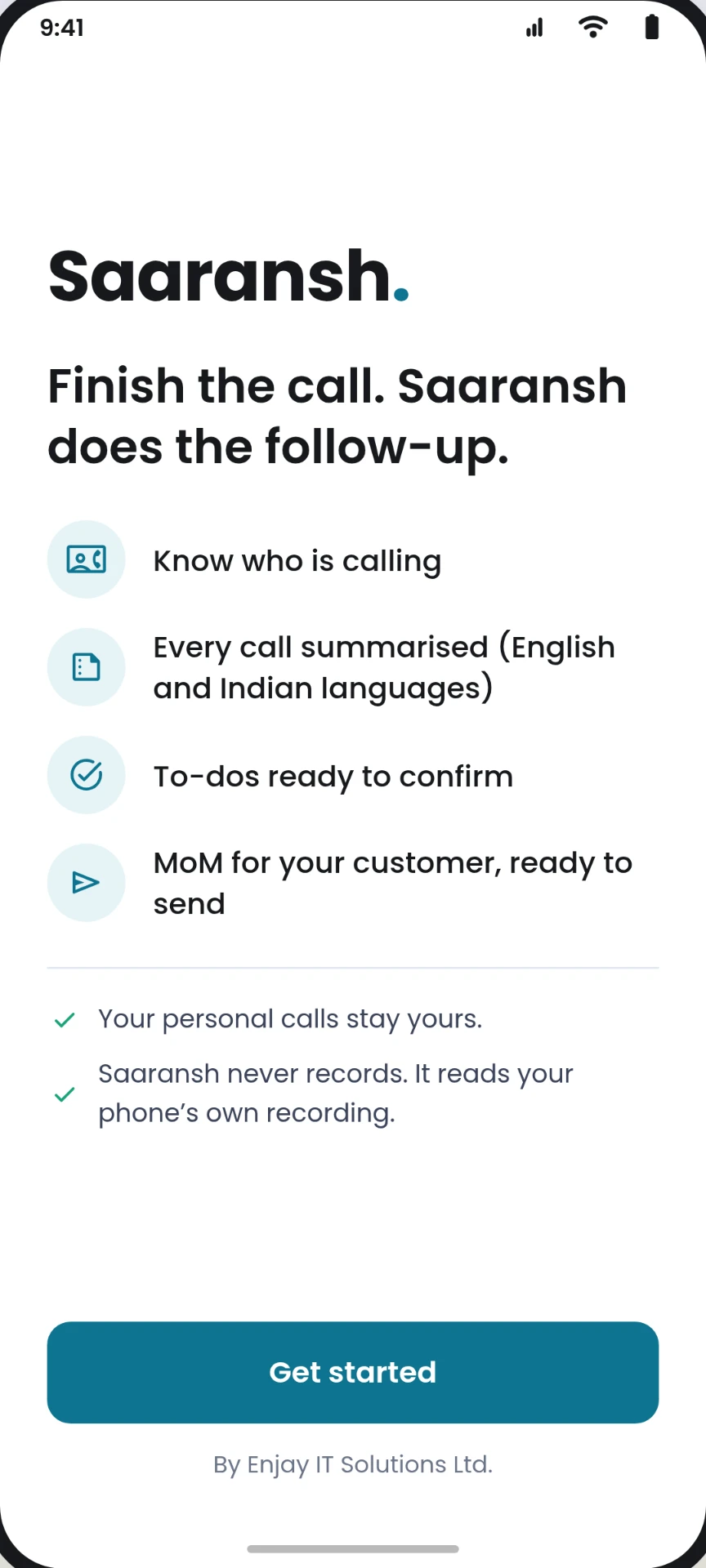
Your account is closed and you are signed out of the app. You can now uninstall Saaransh.

  1. You return to the Saaransh start screen.
  2. Your data is removed from our systems within 30 days, except what we must keep by law (see below).
Saaransh start screen shown after your account is deleted
Signed out

Don't have the app any more?

You can ask us to delete your account by email, from any email address. You don't need to install the app again.

  1. Email support@saaransh.tech with the subject Delete my account.
  2. Include the mobile number you signed up with and your company name.
  3. We will confirm that the number is yours with a one-time code (OTP) or a call.
  4. We delete your account and tell you by email when it is done, within 30 days.
Email a deletion request

If you are a team member, your company's owner can also remove you from the team in the app.

What is deleted

  • Your account: name, mobile number and email.
  • For owners who delete the company: all its contacts, tasks, call records, summaries and team accounts.
  • Call recordings: Saaransh does not keep call audio. Each recording is deleted once it has been analysed.

What we may keep

  • When a team member deletes their account, the contacts, tasks and call summaries they created stay with their company, because they belong to the business.
  • Records we must keep by law, such as invoices, are kept only for as long as the law requires, and then deleted.

More in our Privacy Policy.

Need help?

Write to us and we will help you delete your account.

support@saaransh.tech